Executive Summary
At a time when email open rates have fallen below 20%, WhatsApp message open rates exceed 90%. In this article, we examine how you can manage customer communication compliantly and automatically using the official WhatsApp Business API.
Who Is This For?
Growth managers and sales leaders who want to reach customers directly on WhatsApp—the channel they use most actively—rather than through email or phone calls.
Key Concepts
- WhatsApp Cloud API: Meta’s official, cloud-hosted API connection.
- Opt-in (Consent): The user’s permission to be contacted via WhatsApp.
- Template Message (HSM): Pre-built templates approved by Meta and used to initiate a conversation.
The Problem
Many companies rely on unofficial “WhatsApp Web bots” or personal lines to send bulk messages or respond to customers. These lines are quickly shut down by Meta on spam grounds (the number gets banned). Moreover, because conversations held on personal lines never flow into the CRM, managers cannot audit customer follow-up.
Analysis
At companies using an official WhatsApp Business API integration, an automated WhatsApp message sent within the first 2 minutes after an ad form submission triples meeting/appointment conversions. When a customer doesn’t answer the phone, a “We couldn’t reach you” message sent via WhatsApp keeps the conversation alive.
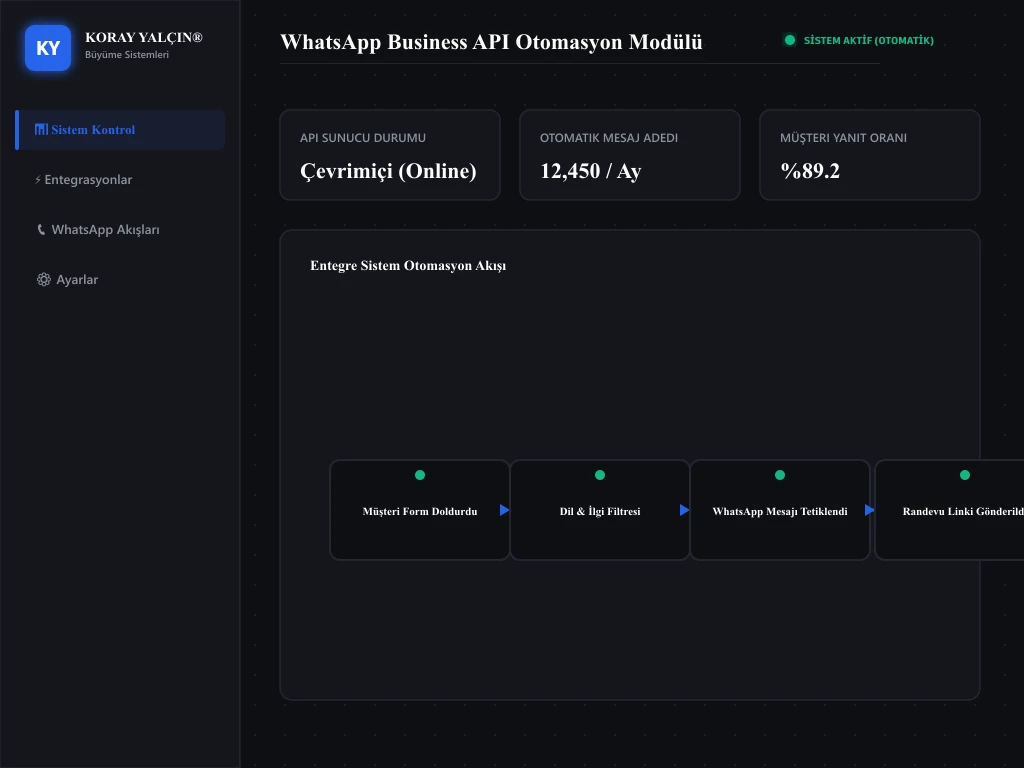
Recommended System
WhatsApp API & CRM Integration Model:
- Instant Trigger: A WhatsApp API call triggered via Make the moment a form is submitted.
- Approved Template Delivery: “Hi [Name], thank you for your interest in [Project Name]. Please find our brochure attached.”
- Customer Response and Chatbot: A mini decision-tree chatbot that activates when the customer taps a button (1. Pricing Information, 2. Payment Plan, 3. Location).
- CRM Update: The customer’s chatbot selections are automatically logged in the CRM.
Implementation Steps
- Step 1: Create an official WhatsApp Business account via the Meta Developer Console and verify your phone number.
- Step 2: Draft your template messages and submit them for Meta approval.
- Step 3: Connect the approved template to the “New Lead” trigger in your CRM or Make automation tool.
- Step 4: To avoid spam complaints, include a “Reply STOP to unsubscribe” option at the bottom of every message.
Cite This Work
Yalçın, K. (2026). What Is WhatsApp Automation?. KorayYalcin.org Publications & Research.
Sources
Meta Developer documentation and field integration experience.
Related Articles
Let’s Work Together
Get in touch to have your CRM and lead system assessed. To set up WhatsApp API integration and automated communication scenarios, you can book an appointment via the Contact page.